
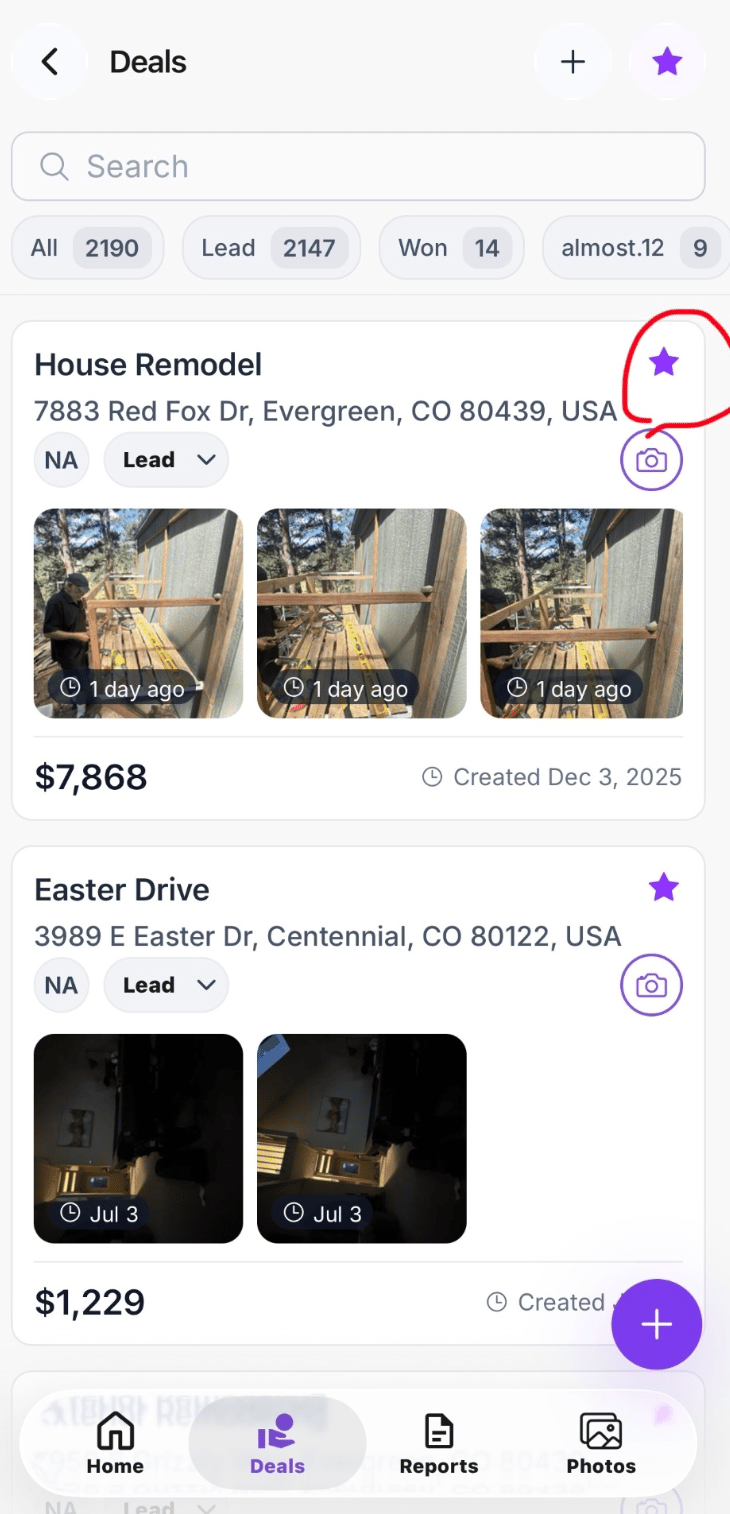
Favorite a project
Select the star icon on a project card or beside the project name. When the star is filled, the project has been added to your favorites. Select the star again to remove the project from favorites.Favorites in the Field App
In the Field App, select the star button at the top of the Projects screen to view only favorited projects. This is useful for quickly accessing:- Active jobs
- Projects visited frequently
- High-priority opportunities
- Jobs currently in production
- Projects requiring follow-up
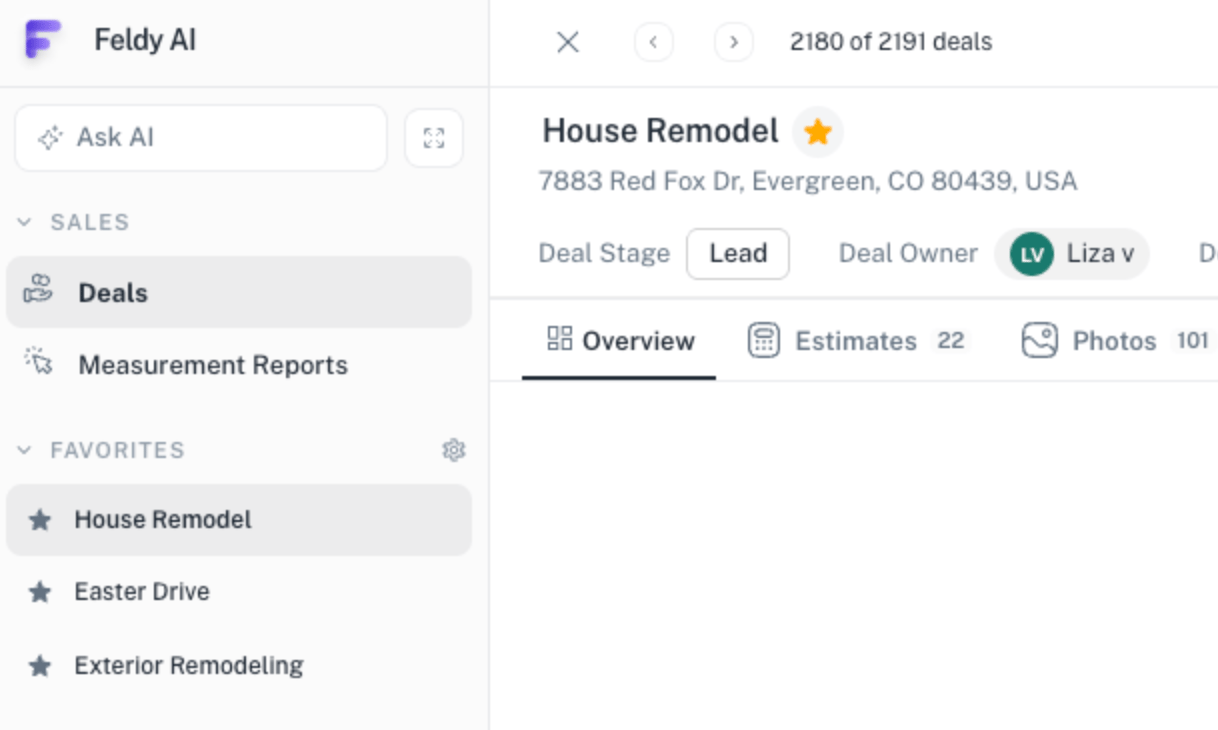
Favorites on the web platform
On the web platform, favorited projects appear in the Favorites section of the left navigation. Select a project from this list to open it immediately without searching through the complete project list.Mobile and web synchronization
Favorites are synchronized between the Field App and the web platform. When you favorite a project on mobile, it appears in the Favorites section on the web. When you favorite or remove a project on the web, the change is reflected in the Field App.Favorites are intended for quick access. Removing a project from favorites does not delete, archive, or otherwise change the project.