> ## Documentation Index
> Fetch the complete documentation index at: https://docs.feldy.ai/llms.txt
> Use this file to discover all available pages before exploring further.
# Favorite a Project
Projects can be marked as favorites for faster access.
Favoriting a project does not change the project itself or affect other project data. It simply adds the project to a shorter list of frequently used projects.
 ## Favorite a project
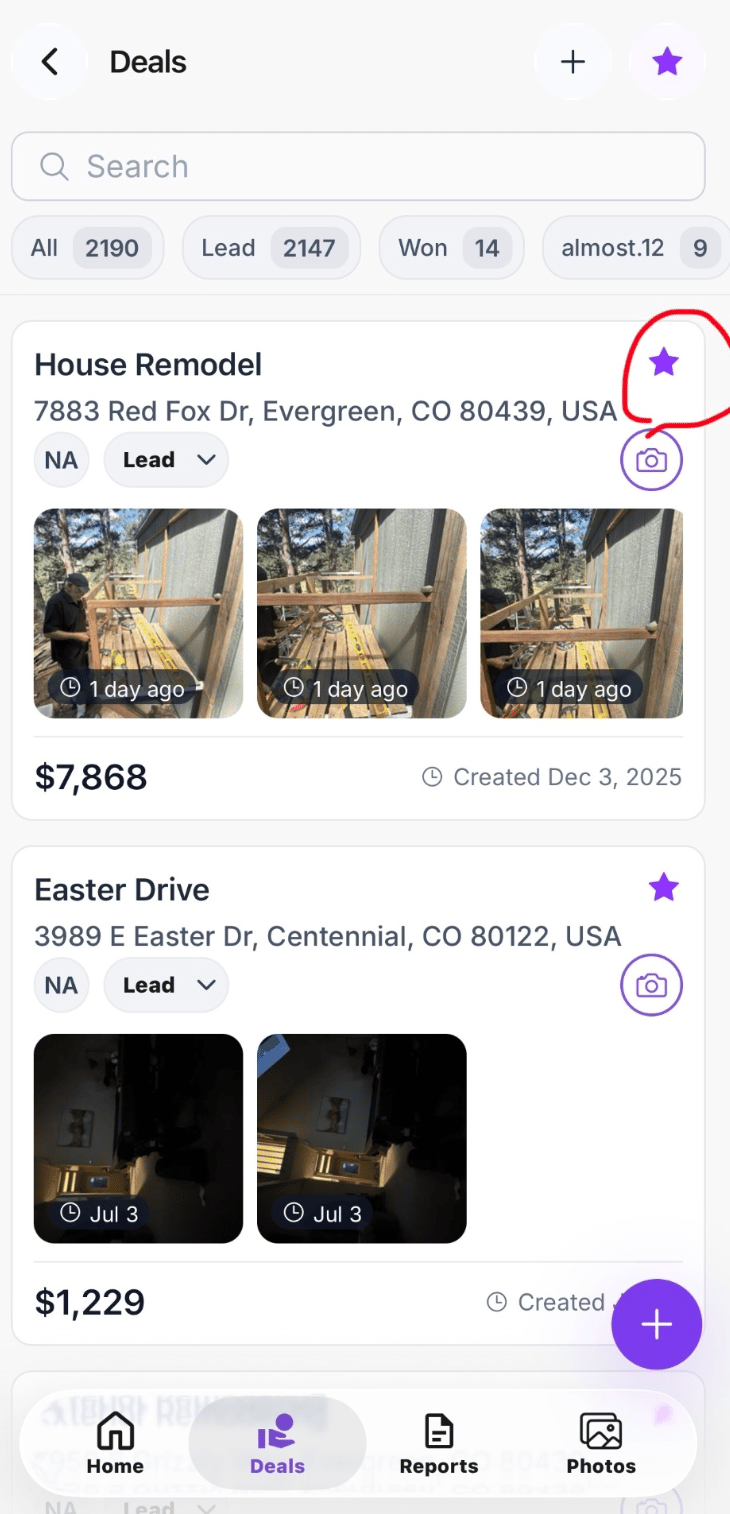
Select the **star** icon on a project card or beside the project name.
When the star is filled, the project has been added to your favorites.
Select the star again to remove the project from favorites.
## Favorites in the Field App
In the Field App, select the **star** button at the top of the Projects screen to view only favorited projects.
This is useful for quickly accessing:
* Active jobs
* Projects visited frequently
* High-priority opportunities
* Jobs currently in production
* Projects requiring follow-up
You can also favorite or unfavorite a project directly from its project card.
## Favorite a project
Select the **star** icon on a project card or beside the project name.
When the star is filled, the project has been added to your favorites.
Select the star again to remove the project from favorites.
## Favorites in the Field App
In the Field App, select the **star** button at the top of the Projects screen to view only favorited projects.
This is useful for quickly accessing:
* Active jobs
* Projects visited frequently
* High-priority opportunities
* Jobs currently in production
* Projects requiring follow-up
You can also favorite or unfavorite a project directly from its project card.
 ## Favorites on the web platform
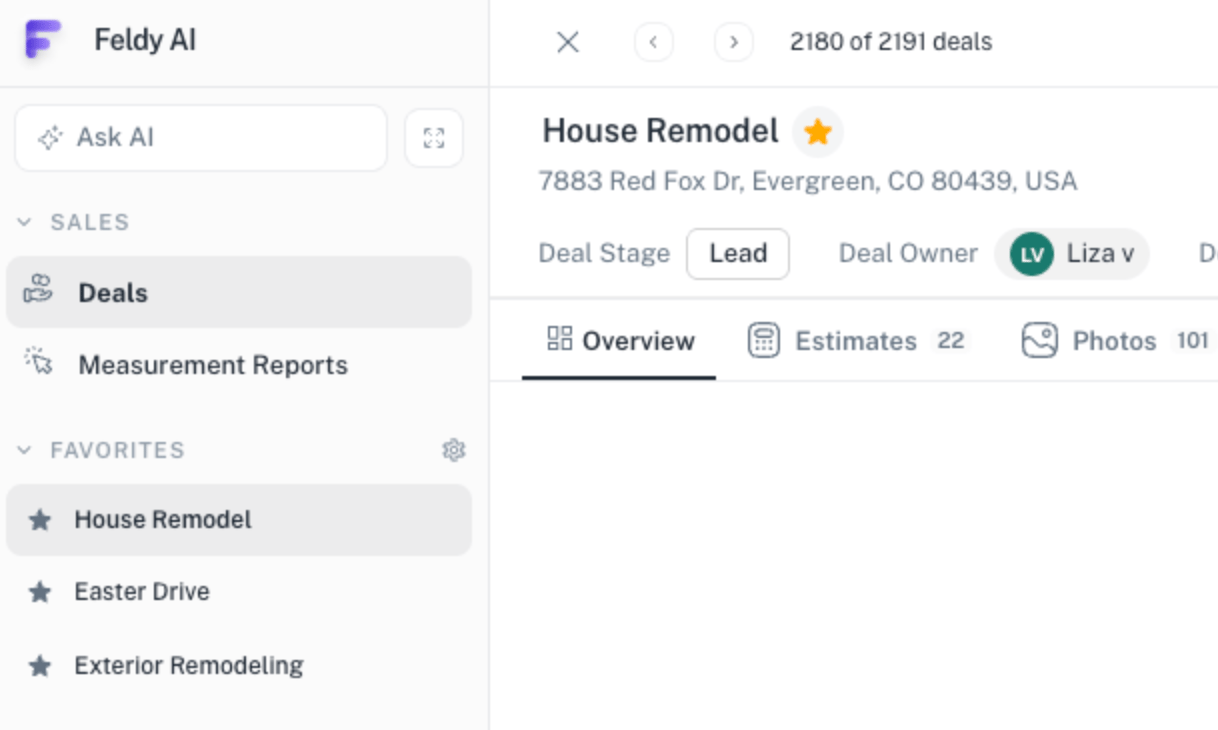
On the web platform, favorited projects appear in the **Favorites** section of the left navigation.
Select a project from this list to open it immediately without searching through the complete project list.
## Mobile and web synchronization
Favorites are synchronized between the Field App and the web platform.
When you favorite a project on mobile, it appears in the Favorites section on the web. When you favorite or remove a project on the web, the change is reflected in the Field App.
> Favorites are intended for quick access. Removing a project from favorites does not delete, archive, or otherwise change the project.
## Favorites on the web platform
On the web platform, favorited projects appear in the **Favorites** section of the left navigation.
Select a project from this list to open it immediately without searching through the complete project list.
## Mobile and web synchronization
Favorites are synchronized between the Field App and the web platform.
When you favorite a project on mobile, it appears in the Favorites section on the web. When you favorite or remove a project on the web, the change is reflected in the Field App.
> Favorites are intended for quick access. Removing a project from favorites does not delete, archive, or otherwise change the project.